See what every version changed, read without editing, and share with your team
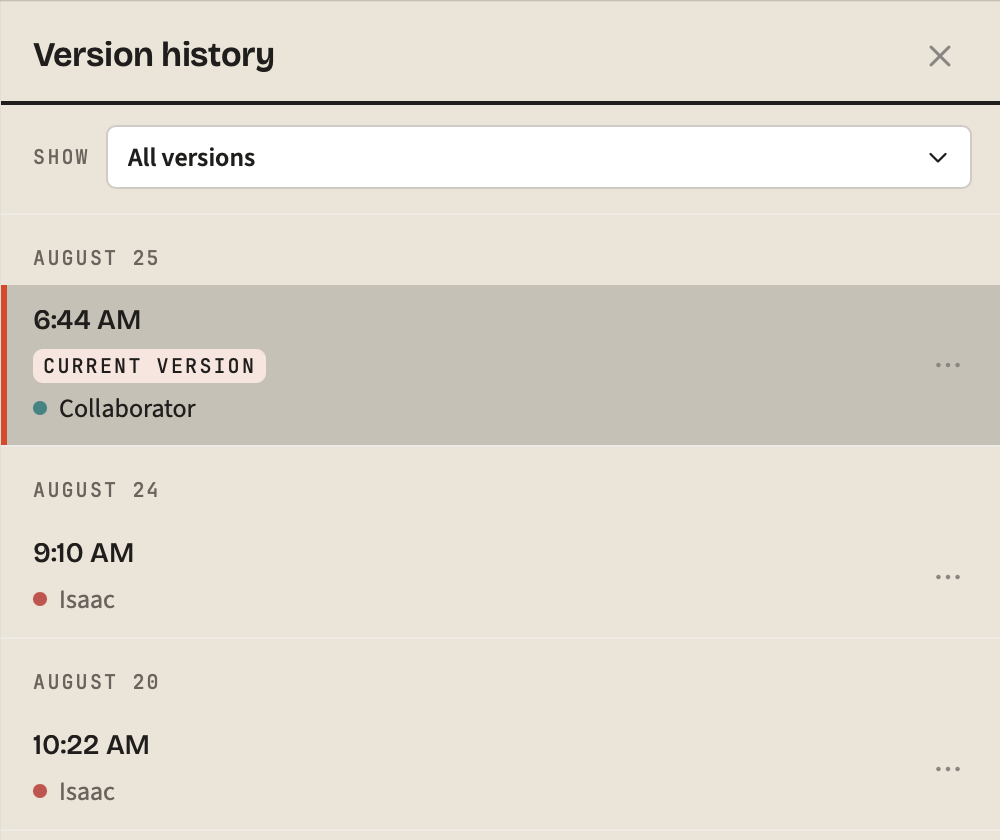
Version history is now a mode of its own that highlights exactly what each version changed, a shared document you can edit can be held in Read & Comment, and PDF and Word exports finally keep their links and their math.
New
- See exactly what a version changed. Version history is now a read-only mode, and picking a version highlights the words that version changed, with a stepper to walk them.
- History reaches back 90 days. Snapshots used to cap at 50, roughly four hours of active writing, so "version history" meant "today". They now thin with age instead.
- Read and comment without editing. A third segment in the view-mode pill withholds your own write access on a shared document, so you cannot change it by accident.
- Share a document with your team. You could create a team and then had no way to put anything in it. The Share panel now lists the teams you own or administer.
- Preview typography before you commit to it. Face, size, line height and width render against sample text instead of sending you out to a document to check.
Improved
- Links and math survive a PDF. Every in-document link used to point at nothing, and
E=mc^2printed asE=mcwith the exponent dropped onto the line below. - Rejecting an AI change now rejects it. Rejecting one change and finishing, or rejecting every change, used to commit the model's full proposal anyway.
- Opening a document stopped swallowing keystrokes. The editor was rebound to a blank buffer a second after the document had rendered, and anything typed in that window was lost.
- Rename a tag and it lands. A tag rename or wiki-link remap across documents you did not have open reported success over text that still said the old name.
- Comment counts in the sidebar. A row's marker only ever answered "is there something new here?"; it now carries how many comments the document holds.
Other improvements and fixes
- Split view is gone; the view-mode pill now always shows which mode you are in.
- Typing a command name in the palette ranks commands above document matches.
- Sidebar search ranks title matches ahead of body-only hits.
- Settings shows a live specimen of your font, size, line height and width.
- The default document font is Lexend, served by Doc rather than Google Fonts.
- Pinning promotes a document instead of taking it out of its folder or date group.
- Shared rows mark a grant that is view-only or comment-only.
- Revoke all sharing links from the Share panel, without turning one on first.
- The share badge counts links you shared from another device.
- Footnotes, task list checkboxes and soft line breaks now export correctly.
- A one-paragraph Word export dropped from about 817KB to 379KB.
- Downloaded filenames follow one scheme; a CJK title no longer exported as
exp-.md. - Mobile PDF stopped printing your front matter and raw
[[wiki links]]. - Storage usage no longer counts trashed documents you cannot free.
- The slash menu and table picker flip above the caret instead of spilling off screen.
- The selection ribbon drops below your selection rather than covering the heading.
- Repeated toasts refresh in place instead of stacking over the header buttons.
- Every row in the mobile actions menu is 44px, with back and forward at the top.
- Back closes a mobile sheet instead of leaving the app.
- Nothing document-scoped renders in the header when no document is open.
- Clicking a diff mark selects it to read; it no longer silently keeps it.
- Comments from one account are signed the same way in every browser.
- A document whose only thread is resolved says so, with a button to show it.
- Failed version saves say so instead of a silent no-op with an empty toast.
- The changelog no longer opens over a shared document for a first-time visitor.
- Publish joined the command palette.
- The text column stops shifting 4px when a fold removes the scrollbar.
- Clicking the blank strip above a document places a caret there.
- Locked and read-only editors take keyboard focus, so the locked-typing notice fires.
- MCP's edit tools can write to a real document; consent defaults to read-only.
- Dragged
.m4aand similar browser MIME aliases upload instead of being refused. - Reopen a collapsed document list from the Settings header.
- Screen readers get a page heading, and the skip link now reaches the editor.
- TikZ and function plots left the slash menu; neither could ever render.