Big highlight this release is the experimental "Triage" view, this will screen out anyone not in your address book and allow you to approve or deny these senders. This adds another layer of protection on top of regular spam detection.
Features
Alias screen filtering, show alias descriptions in compose
Show attachment upload progress in compose
(Labs) Add triage experiment
Fixes
More robust state handling
Use delivered-to to determine reply-as address
Long timed events in month view, show start time
Fix some places hard coding 12-hour clocks
Read what is readable of a malformed inbound message
Stop signatures being saved but silently discarded
Better error handling for JMAP calls
Respect reduced motion in loading skeletons
Calendar sometimes incorrectly sending invite updates
Don't collapse archived messages
Inbox load mismatch when archiving a message (caused blank inbox)
Preserve failed drafts without replacing active compose
Change highlighting of messages styling, update iframe security boundry
Land a logout on the account picker, not another mailbox
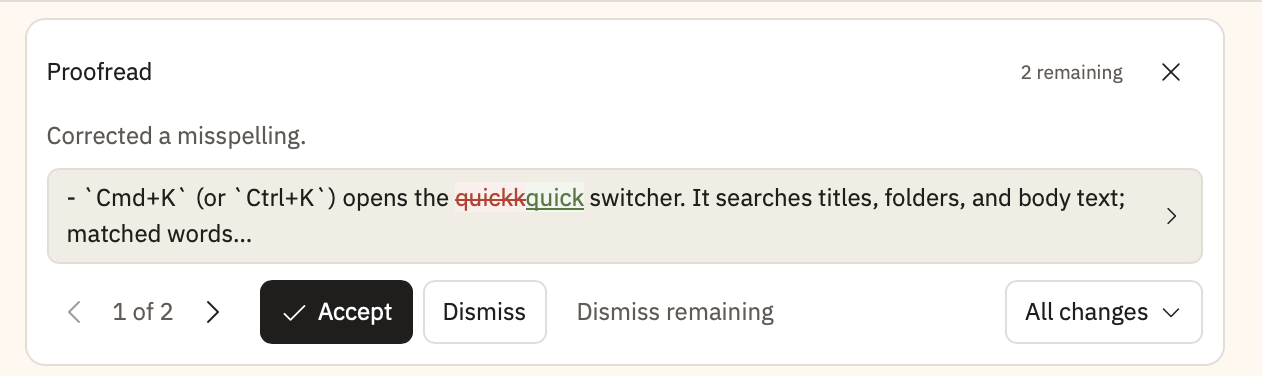
Proofread fixes real mistakes without touching your style, and Mod+K now opens one AI composer for a selection or a whole document.
New
Proofread in one click. It fixes definite spelling, grammar and punctuation errors word by word, and leaves your quote style, dashes and heading case alone.
One place to ask the AI.Mod+K opens a single composer for your selection or the whole document; Review gives feedback, and anything else proposes an edit you approve.
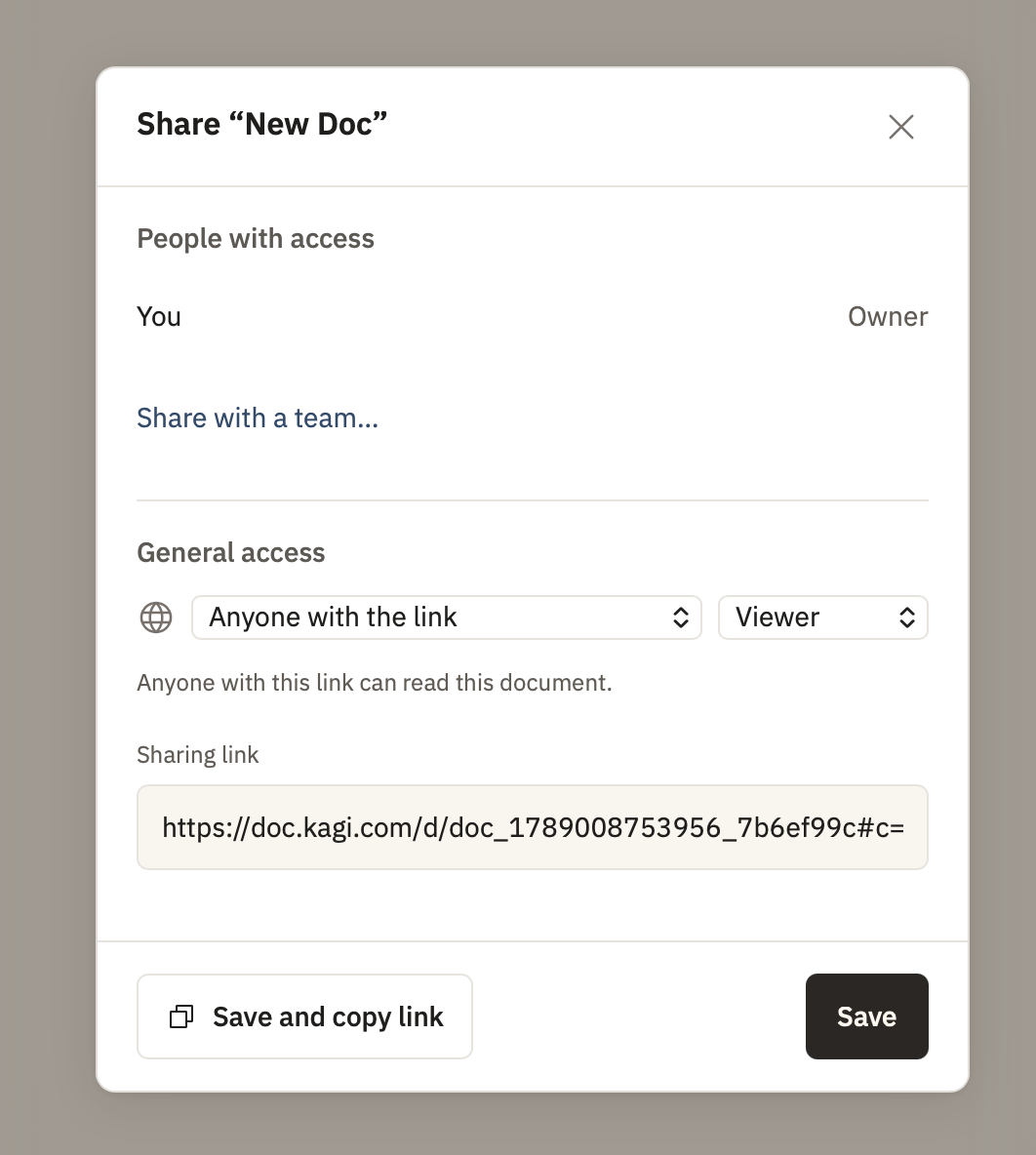
Share from the sidebar. Every document's row menu now has Share, so you no longer have to open a document to share it.
Improved
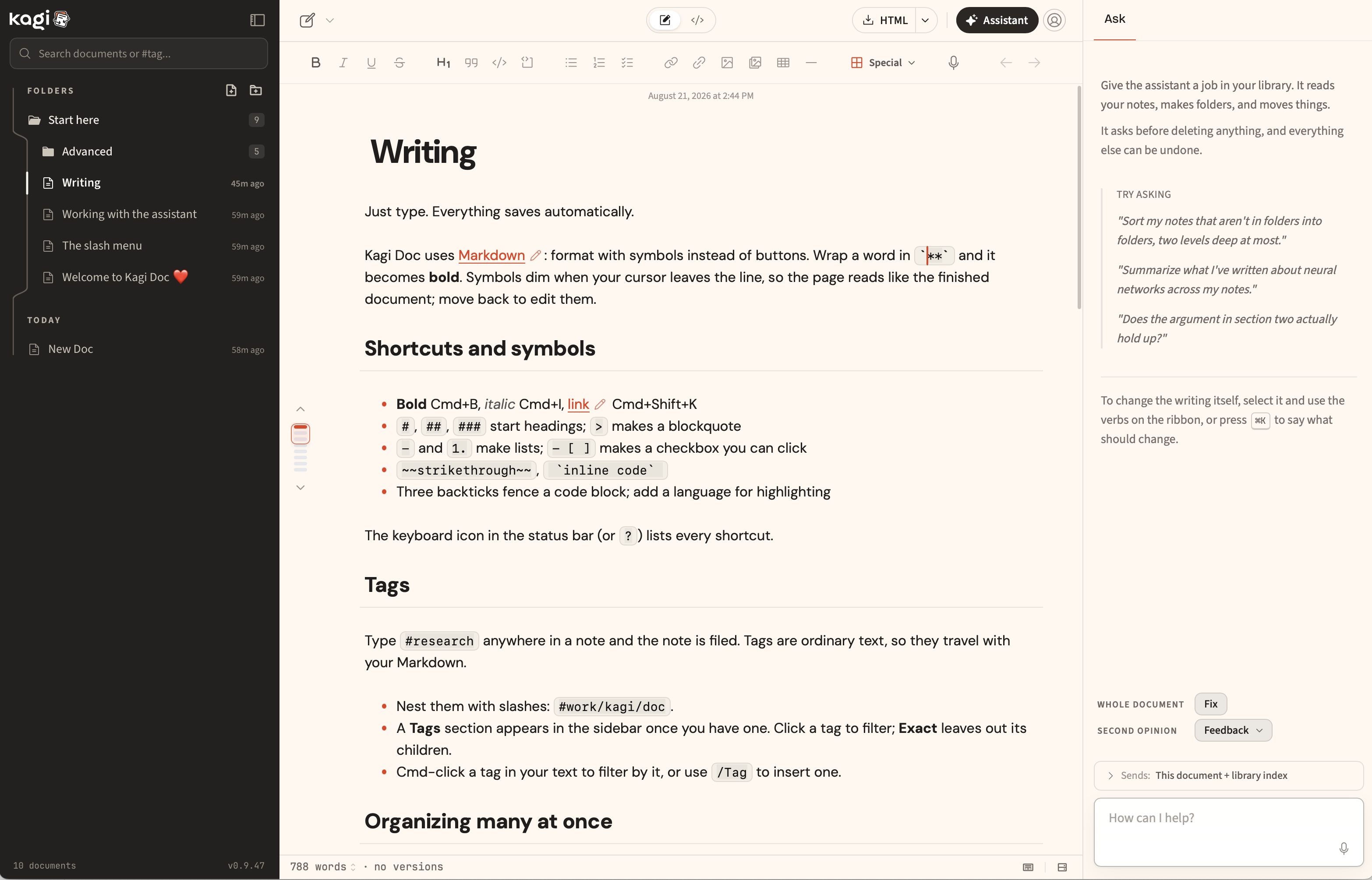
Bold stays put while you type. The ** markers used to appear whenever the caret got near a formatted word, pushing the whole line sideways.
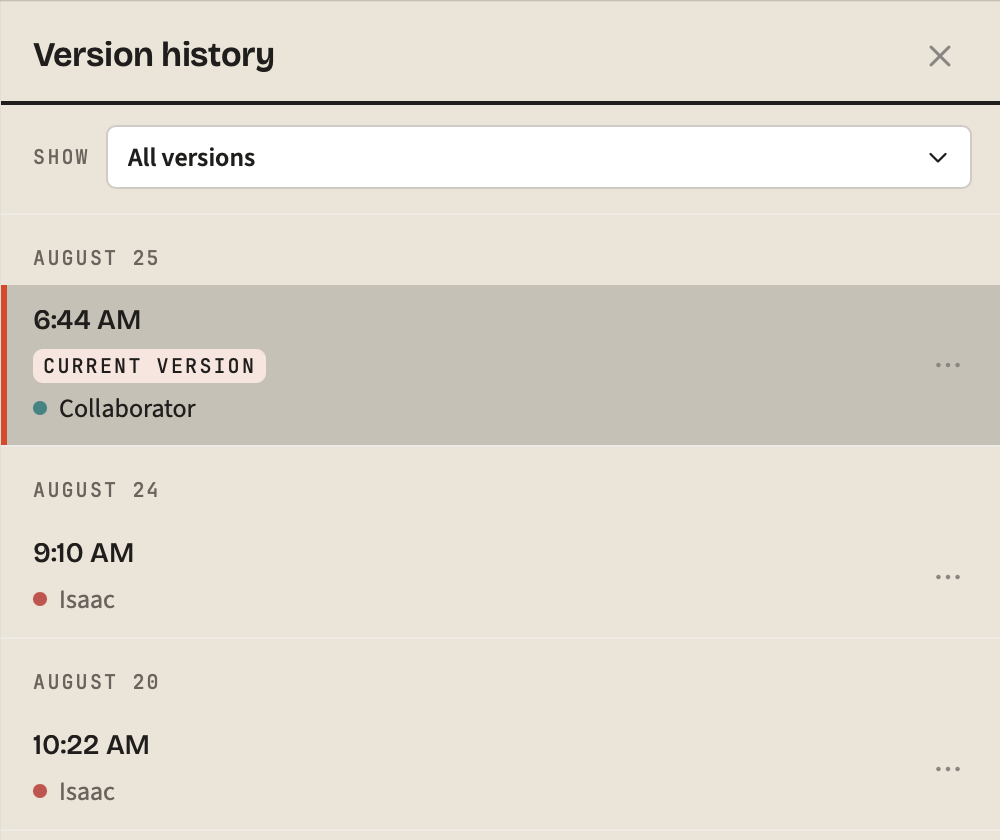
Tell your collaborators apart. Each person now gets their own color, and hovering an avatar shows their name. Four people used to share colors more than half the time.
Other improvements and fixes
The command palette moved to Mod+Shift+P.
The AI refuses a selection edit that would strip headings, lists or links.
Manage your saved AI prompts, with examples to start from.
Long AI rewrites no longer freeze the page while you review them.
Clear now acts on the document you picked and keeps its saved versions.
A saved version no longer includes text typed while it was saving.
Bolding a selection that ends at a line break no longer shows literal asterisks.
Opening a row's "..." menu no longer switches you to that document.
The sidebar scrolls to your open document without moving the rest of the page.
Restore deleted documents from Recently deleted in the sidebar.
"Copy as plain text" works in Safari again.
Opening a document in a new tab no longer shows a false "blocked" warning.
Turning Context off now applies to every browser, not just this one.
Removing local data now also erases share captures you never finished.
Document health no longer flags example app markup inside code blocks.
Typing and search do less background work in large libraries.
Every document and folder now has one stable share link whose role you can change any time, remote images and video render in live mode, and the status bar no longer narrates routine saves.
New
Sharing UX redesigned, added fodler sharing. One stable URL per document or folder replaces the three per-mode links. Set Restricted or Anyone with the link, then Viewer, Commenter or Editor, and change it any time.
Browse a shared folder from its link. Anyone with a folder link gets a page of its documents and subfolders, and opens each one from there.
Hotlink images and video. A remote image URL used to render as a warning card. Now it shows inline, and <video src="https://..."> and <audio src> tags play with controls.
Improved
A quieter status bar. The routine "Cloud autosave" and "Saved on this device" labels are gone. The bar now speaks only for Offline, Saving paused or Sync unavailable, and a reconnect under five seconds shows nothing.
Saves recover on their own. A missed online event used to park sync until you reloaded. Now a 30-second check wakes it, stalled saves retry, and the bar stops claiming "Last synced just now" while stuck.
Role changes apply live. When the owner changes your role on a shared document you have open, the change takes effect in place. The session used to pause with an authorization error.
Type on a heading line safely. Home, a left-edge click or Up/Down at column zero used to land the caret on the hidden #, so typing produced d# Heading. It now snaps to the visible text.
Other improvements and fixes
The share link is shown before your first copy, and copying works in Safari.
Sharing a folder skips re-checking every document, and a refusal names those still saving.
Already-saved documents no longer sit as pending after a reload.
Selecting text no longer opens the floating menu while the formatting toolbar is showing.
Text fields in the link, image and custom-action dialogs have their borders back.
Offline, the sync popover says sync resumes automatically instead of offering Sync now.
Reconnecting no longer re-uploads a whole document that once contained a deletion.
Viewing a live shared document no longer keeps every incoming edit in memory.
Diagrams in every export. Mermaid and JSXGraph blocks are drawn into PDF, DOCX, EPUB and HTML exports, and a resized image no longer vanishes from them.
Hide the status bar. Turn it off under Settings > Writing. A failed cloud save still shows a small indicator, so hidden chrome never hides a save problem.
Improved
Share panel tells the truth. Links created on another device used to show the document as not shared. Status now comes from the server, with one Revoke all sharing links button.
Restoring a document keeps its text. A document that was open when you deleted it could come back empty and blank the cloud copy too. Restore now takes the server's text.
Formatting toolbar fits narrow windows. Below 900px the trailing groups scrolled off with no visible scrollbar. They now fold into a More menu.
Other improvements and fixes
The sidebar expands the folder holding a document opened from search, palette or link.
One Documents heading collapses the whole dated list; date groups sit under it.
Filed documents show once, in their folder, not again in the dated list.
The save readout stays on "Cloud autosave" instead of flickering on every keystroke.
Zen mode now exits with Escape or its button on shared documents too.
Set page width with arrow keys on the edges or a number in Settings > Appearance.
The ? shortcuts cheatsheet opens on every route, including shared documents.
Palette adds pin, toggle sidebar and PDF export; Mod+K on a selection opens Instruct.
Opening a dialog no longer discards a half-typed Instruct.
Edits from connected agents (MCP) appear in version history with before and after.
Imported archive history no longer disappears after 90 days.
Assistant Undo of a created note moves it to Recently deleted instead of purging it.
PDF attachments show one page at a time with previous, next and a page box.
Text attachments get syntax highlighting; a failed spreadsheet preview offers Download.
Images near the viewport start loading before you scroll; Safari stops re-downloading them each open.
Typing [[Title# lists that document's headings again.
Quick capture titles drop bold markers instead of starting with **.
The writing column no longer jumps sideways while you type the first heading.
Typst is retired since it never rendered in production; Typst documents open as Markdown intact.
Chromium voice recordings (webm/opus) upload again, and microphone failures are explained.
Dialogs keep Tab inside and make the page behind them inert.
Enter on an empty list item exits the list.
Every rendered block has an Edit source button; Arrow Up/Down steps into it.
Media that failed to load offers Retry; click a code block's language chip to change it.
Doc app generation retries once on truncated output; the mind map fits at readable size.
Empty folders offer New document here; search suggests operators on focus.
Muted and placeholder text now meets 4.5:1 contrast everywhere.
Signed-in first runs get the tour; Settings > Library can add an updated tour.
A revoked share makes the editor read-only instead of reconnecting forever.
RTL table cells keep their columns; footnote numbers in lists stop covering the previous word.
Dictation reports an unsupported language instead of staying silently on recording.
Doc is restyled on IBM Plex with an ink-blue accent, the formatting toolbar and edit stamp are now optional, and a pinned document rises to the top of its own folder instead of a separate section.
New
Turn off the toolbar. The formatting band and the last-edited stamp above the document are now preferences in Settings > Writing. Every toolbar action is still one / away.
Improved
Pinned documents stay put. A pin lifts the row to the head of its own folder, dated list or Shared with you. The separate Pinned section, which listed every pinned document twice, is gone.
Share a document you just saved. Share refused every cloud document one keystroke after a sync with "Cloud saving is not caught up" while the status bar read Saved.
Other improvements and fixes
The assistant pane is renamed Editor, and its rewrite tab is Edit.
Shared documents loading is faster.
Reference-style links ([label]: url) no longer render as literal brackets in long documents.
Escape, or a click back into the document, closes the AI instruction field.
The / hint retires once you have opened the menu, not once you have used it.
Arrow keys cross an image in one press, and Backspace removes the whole .
An empty document reads "Type '/' for commands" and the status bar hides its counts until you type.
Background sound moved to Settings > Writing.
Share-link tokens are hashed at rest and no longer written to server logs.
The image picker no longer offers HEIC photos the upload would have refused.
Documents purged from trash are also removed from Kagi Context.
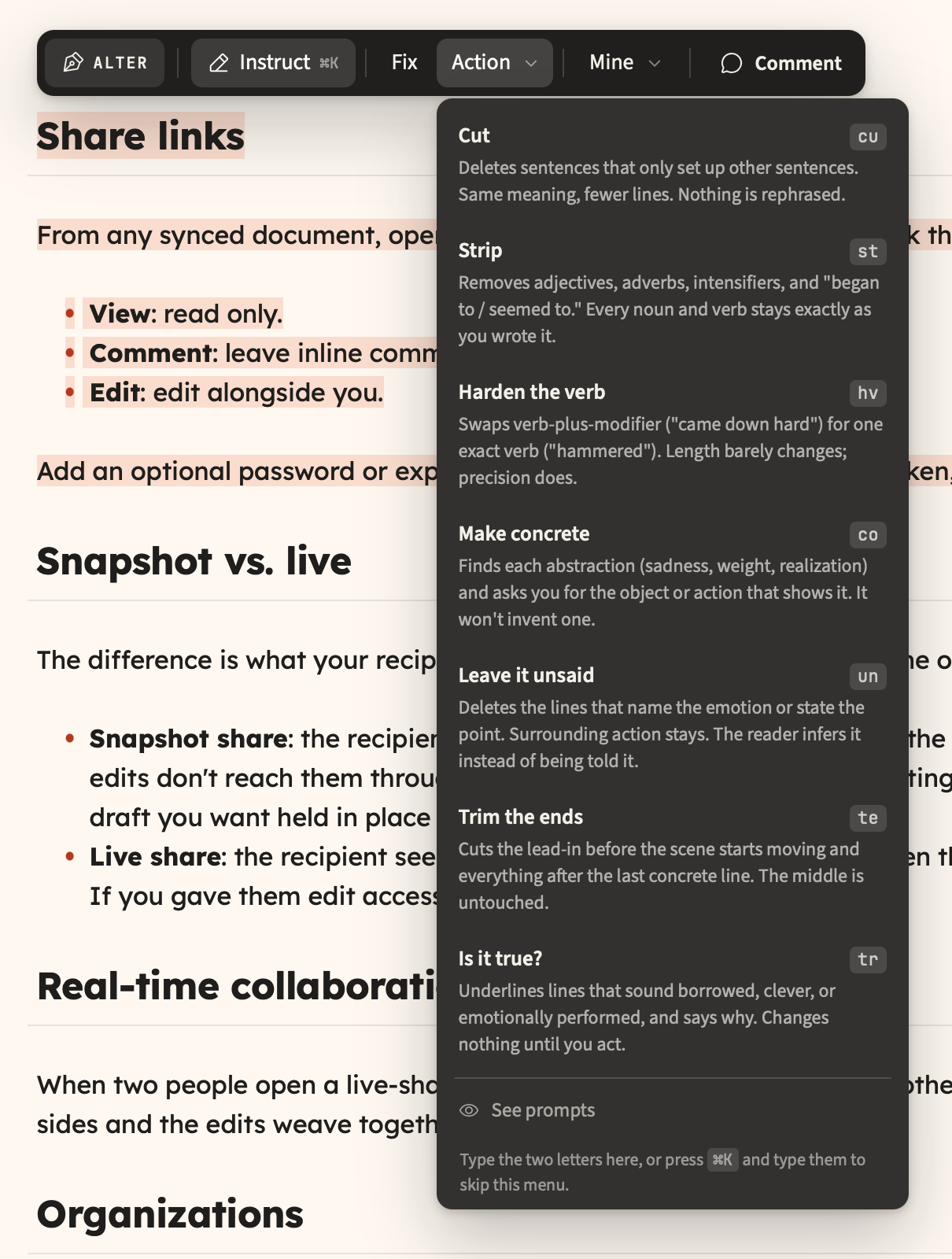
Replaced the graded rewrite verbs with eight that mostly may only delete, gave the phone version a share sheet and an Insert menu, and made a shared document paint its text the moment you click it.
New
Verbs that cannot rephrase you.cut, strip, trim and unsaid may only delete and truth only points, so every surviving character is one you typed.
Share from your phone. Below 1024px there was no share control anywhere, and the palette's Share document command had nothing listening to it.
Insert without typing a slash. The phone formatting sheet leads with Insert, so tables, math, diagrams and media no longer cost three taps into the 123 plane.
Shortcut hints in the status bar. Clickable chips for the command palette, a new document, a quick note and the assistant, with the real bindings read off the command registry.
Improved
Shared documents open at the speed of your own. Clicking a shared row used to put the full-page startup logo between the click and text already stored on your device.
The mobile review bar is one row. It was six stacked buttons taking 68% of a small phone; now about 68px, showing the change and stepping through them.
Comments survive a bad connection. A single failed request used to empty the panel, the in-text highlights and the unread badge, with nothing to retry.
A real offline page. The first offline visit used to be the bare word Offline in the browser's default font, and /?doc=<id> had no cached page at all.
Other improvements and fixes
The eight verbs moved into the Action menu with full labels; the ribbon keeps only fix.
Type a verb's two-letter mnemonic in the Action menu or the instruct field.
A verb now reports what it declined to change, instead of looking like it found nothing.
Mod+K and the command palette work on shared /d/<id> pages.
New document is available on shared pages and in version history.
New comments carry a dot in the panel, so the badge count is findable.
Phone and tablet onboarding notes teach tap controls instead of key chords.
Sidebar Sort by and Download flyouts are reachable on touch, including Manual drag order.
Comments left through a share link are tagged via link, so a name cannot be borrowed.
A broken share link names the failure and offers Retry instead of Go home.
A comment share no longer opens onto an empty comments pane.
Reopening a shared document in the same tab rejoins the live session.
A shared document no longer hides its own heading a frame after it paints.
Cached shared text is labelled read-only when the server cannot be reached.
Opening a shared document no longer bounces its row to the end of the Shared list.
The sidebar marker lands on the row you clicked, including pinned duplicates.
A document that mentions <script> or <textarea> keeps everything after it in exports.
A captioned image inside a code fence stops shifting every later figure number.
Typewriter mode no longer switches itself off after keyboard motion.
Backspace and Enter keep a heading inside its blockquote.
The caret stops skipping a line at a hidden heading or quote marker.
The selection ribbon stops doubling in height when you open its heading menu.
A tap meant for Undo could land on an AI rewrite verb; the ribbon now clears the bar.
Declining a tool approval on a phone no longer starts a whole-document Fix run.
Two taps on a phone could delete the open document with no confirmation.
Tapping a task checkbox no longer checks the one below it.
The invisible fold chevron stops swallowing taps on the left of a heading.
Reviews report changes dropped for overlapping another change.
Version history names the comparison and tells the phone it is read-only.
Brand red is darkened for text, so links and tags pass 4.5:1 contrast.
The desktop review bar is translated; the mobile one already was.
The assistant fails a stalled turn instead of spinning forever.
The assistant can no longer act on a turn it already reported as timed out.
Approving a note rewrite re-checks which note you are in, not the one you were.
A document that hit its collaboration update budget no longer stops saving forever.
A document whose body failed to download is fetched again instead of marked current.
Trash loads in pages, and saves no longer scan the library for storage totals.
About 80 KB of seed content and assistant code stops shipping to every visitor.
The changelog poll no longer restarts on every background session refresh.
A deploy mid-session no longer breaks the page with a module import error.
A cancelled subscription can no longer be restored to premium by an MCP write.
Share links redeem only share links, and trashed documents stop accepting grants.
Favicon, link previews and robots.txt, plus a PWA splash in the app's own colour.
Version history is now a mode of its own that highlights exactly what each version changed, a shared document you can edit can be held in Read & Comment, and PDF and Word exports finally keep their links and their math.
New
See exactly what a version changed. Version history is now a read-only mode, and picking a version highlights the words that version changed, with a stepper to walk them.
History reaches back 90 days. Snapshots used to cap at 50, roughly four hours of active writing, so "version history" meant "today". They now thin with age instead.
Read and comment without editing. A third segment in the view-mode pill withholds your own write access on a shared document, so you cannot change it by accident.
Share a document with your team. You could create a team and then had no way to put anything in it. The Share panel now lists the teams you own or administer.
Preview typography before you commit to it. Face, size, line height and width render against sample text instead of sending you out to a document to check.
Improved
Links and math survive a PDF. Every in-document link used to point at nothing, and E=mc^2 printed as E=mc with the exponent dropped onto the line below.
Rejecting an AI change now rejects it. Rejecting one change and finishing, or rejecting every change, used to commit the model's full proposal anyway.
Opening a document stopped swallowing keystrokes. The editor was rebound to a blank buffer a second after the document had rendered, and anything typed in that window was lost.
Rename a tag and it lands. A tag rename or wiki-link remap across documents you did not have open reported success over text that still said the old name.
Comment counts in the sidebar. A row's marker only ever answered "is there something new here?"; it now carries how many comments the document holds.
Other improvements and fixes
Split view is gone; the view-mode pill now always shows which mode you are in.
Typing a command name in the palette ranks commands above document matches.
Sidebar search ranks title matches ahead of body-only hits.
Settings shows a live specimen of your font, size, line height and width.
The default document font is Lexend, served by Doc rather than Google Fonts.
Pinning promotes a document instead of taking it out of its folder or date group.
Shared rows mark a grant that is view-only or comment-only.
Revoke all sharing links from the Share panel, without turning one on first.
The share badge counts links you shared from another device.
Footnotes, task list checkboxes and soft line breaks now export correctly.
A one-paragraph Word export dropped from about 817KB to 379KB.
Downloaded filenames follow one scheme; a CJK title no longer exported as exp-.md.
Mobile PDF stopped printing your front matter and raw [[wiki links]].
Storage usage no longer counts trashed documents you cannot free.
The slash menu and table picker flip above the caret instead of spilling off screen.
The selection ribbon drops below your selection rather than covering the heading.
Repeated toasts refresh in place instead of stacking over the header buttons.
Every row in the mobile actions menu is 44px, with back and forward at the top.
Back closes a mobile sheet instead of leaving the app.
Nothing document-scoped renders in the header when no document is open.
Clicking a diff mark selects it to read; it no longer silently keeps it.
Comments from one account are signed the same way in every browser.
A document whose only thread is resolved says so, with a button to show it.
Failed version saves say so instead of a silent no-op with an empty toast.
The changelog no longer opens over a shared document for a first-time visitor.
Publish joined the command palette.
The text column stops shifting 4px when a fold removes the scrollbar.
Clicking the blank strip above a document places a caret there.
Locked and read-only editors take keyboard focus, so the locked-typing notice fires.
MCP's edit tools can write to a real document; consent defaults to read-only.
Dragged .m4a and similar browser MIME aliases upload instead of being refused.
Reopen a collapsed document list from the Settings header.
Screen readers get a page heading, and the skip link now reaches the editor.
TikZ and function plots left the slash menu; neither could ever render.
This is an AI powered feature, let us know about quality of results
Before your existing mail is searchable, the system needs to scan it, which will take some time depending on the size of your account.
Fixes
Harden allow list and don't run AI rules for spam
Do not collapse forwarded messages
Change loading animation on scroll
Fixes for Orion Catalina
Only use nouns for last word in alias generation
Change Ctrl+K / Commmand+K to the default search keybind
Many improvements to Kagi Auth integration
Kagi Calendar
This first iteration of Kagi Calendar is a calendar client that works with internal Kagi calendars. Similar to Mail, this is also using Stalwart as a back end so it comes along with CalDAV integration for 3rd party clients.
Presenter notes with a running clock, a small always-on-top window for the document you need beside a call, callouts and highlights that survive every export, and a broad speed pass you can feel while typing.
New
Presenter notes and a timer. Write Note: on a slide and everything after it is for you, not the room. Press S while presenting to open your notes with an elapsed clock, over the deck, in fullscreen.
Open a document in a floating window. A small window you can park over a video call, a terminal, or another document.
Highlights, callouts, and image captions. ==Highlight== a phrase, drop a > [!NOTE] callout, caption an image with a link title. They render the same in the editor, in preview, and in HTML, EPUB, PDF and DOCX.
Lock a document. One click and typing stops working on it, with a status bar badge and a toast the first time your fingers try.
Related notes while you write. The Context tab lists notes related to the open one; search results that matched by meaning now say so instead of looking like a bug.
A health check in the status bar. Catches an unclosed code fence, a broken embedded app, and wiki links pointing at two same-titled documents. Click a finding and its line flashes.
Reading level in the stats popover, as a grade with a plain-language band.
Import code and text files (.py, .ts, .json, .yaml, .sql) with syntax highlighting, instead of "unsupported format".
Tag colours, icons, and pinned tags.
Drag table columns to resize them.
Drag the edge of the page to set its width, with a live pixel readout.
Improved
Typing is faster in big libraries and long documents. In a shared 500 KB document each keystroke used to push a full copy of it into storage and over the wire (~5 MB/s); now coalesced.
The app starts faster. Fonts split by script, the Spanish translation no longer shipped to English users, and the offline cache no longer re-downloading 21 MB every release.
Search is faster and snippets stopped gluing words into "justKEYhere".
Your documents stay put. Three separate bugs could lose local-only documents or offline edits. All fixed.
Everything shared with you shows up past 500 shared documents.
"Storage full" means what it says - trashed documents no longer count toward quota, and hitting it no longer strands your newest text in the browser.
Paste a table and it stays a table.
The formatting toolbar shows where you are - active toggles, live heading level, math block button.
Comments read as threads, each headed by the passage it is about.
Exports match what you see, PDF and DOCX included, with a full PDF heading outline.
Other improvements and fixes
Present is a visible action on documents that contain slides.
New document Mod+Alt+N, Quick Note Mod+Shift+Enter (Mod+N never reached the page in Safari or Chrome).
Mod-click a wiki link opens it in a new tab.
Front matter renders as a compact card and stops counting toward word count.
Empty folders delete without a prompt; subfolder-only folders warn honestly.
Reference links [foo] no longer stick as literal brackets in long documents.
The assistant re-checks targets on delayed approvals and refuses to edit a locked document.
AI edits on large blocks: a 20,000-character block went from 11.6 seconds to milliseconds.
Settings > Versions loses the Automatic/Manual picker - it did nothing; snapshots were already automatic.
Security and reliability hardening across sign-in, sharing, uploads, and org access.
A new look. Doc now also suports a dark ink sidebar against a light page. Check it out with
Dark sidebar in Settings > Appearance. Try also different accent colors.
Emoji autocomplete. Type :smi and pick from a menu. The character
itself is inserted, so it survives copy, export, and any other editor.
Link to a section, not just a document.[[Setup#Install steps]] jumps
straight to that heading, and ![[Setup#Install steps]] embeds only that
section instead of the whole document. Type # after a document name and Doc
lists that document's headings for you.gdfgdfg
Document health. A new Health tab in the document info pane finds broken
links, references to sections that no longer exist, unresolvable embeds,
repeated headings, and unresolved comments. Click a finding to go to it.
Improved
Editing links. A pen appears on rendered links: change the text and the
URL in a small popover instead of hunting for the raw Markdown.
Tables start at the size you want./table opens a size picker, so a 2x5
table takes one insert rather than a trip to the column menu.
Lists move as a unit.Alt+Up and Alt+Down carry an item's nested
children with it, in one undo step, instead of stranding them behind.
Sections stay folded. Collapsed sections now survive a reload and a
switch to another document and back.
Footnotes go somewhere. Clicking a footnote marker scrolls to the note
and leaves your cursor where it was; Mod+Alt+F takes the cursor there and
back.
Other improvements and fixes
Reorganized the slash menu into Headings, Basic, Lists, Advanced, Diagrams,
Apps, and Media, and added a horizontal rule.
Added optional auto pairing for brackets, quotes, and Markdown syntax.
Mod+Enter on a search result opens that document in a new tab.
The shortcuts sheet now leads with the shortcuts worth memorizing, with the
rest behind "Show all".
A quiet stamp at the top of the document shows when it was last edited.
Raised contrast on sidebar labels, multi-select checkboxes, folder actions,
and the library search field.