
Orion 1.1 for macOS: New Interface, Containers, and Customizable Browser Borders
This week, we’re launching Orion 1.1 for macOS, one of the most significant updates in our history. This version is built around three major new features (in addition to 170+ smaller improvements and bug fixes).
A New Interface ✴︎ When Apple released LiquidGlass, the reception was mixed—even within our own team. The demand was there, but we weren't ready to just copy-paste what Safari had done. They had even removed compact tabs! So, we created our own implementation.
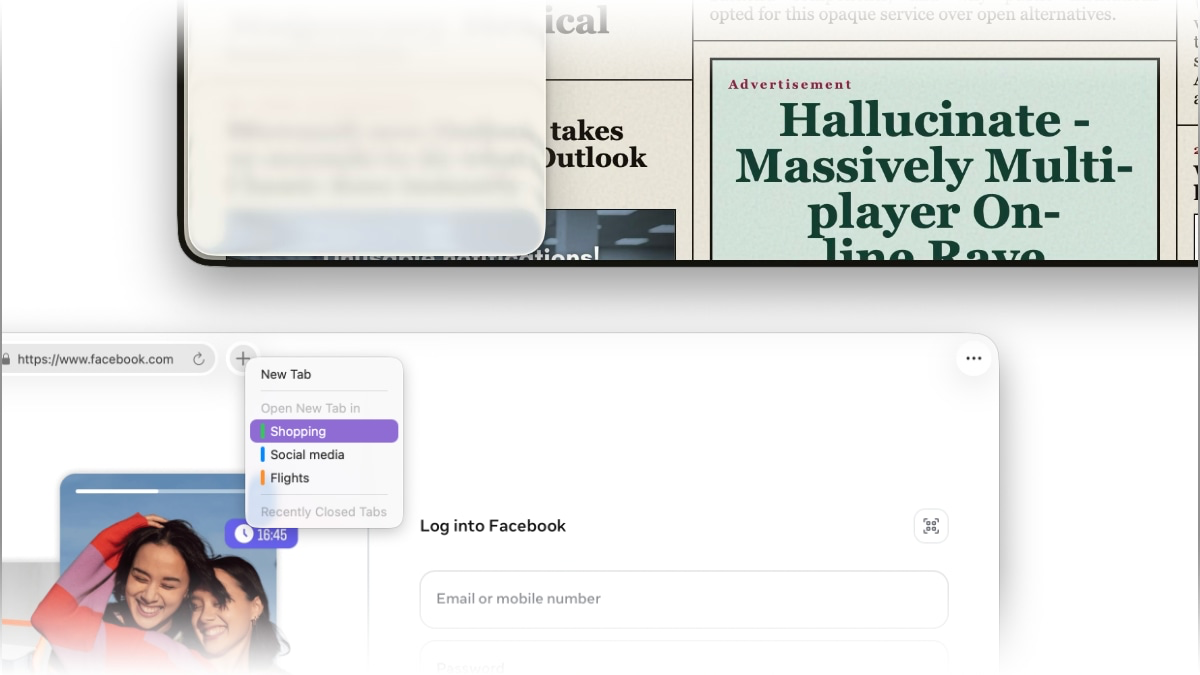
Containers ✴︎ Just like Firefox, we now offer containers. What are they? Each tab becomes completely isolated from the others: total privacy and the ability to log into multiple accounts on the same site from the very same window!
A Personalized Browser Border ✴︎ The current trend is an elegant, transparent border seen on many browsers. The problem is, they don't match Apple's design language. So, what did we do?
As we usually do: we made it an option! And we took it even further: transparency, solid colors, gradients, and even an automatic color-match with the website for total immersion.
This option is exclusively available to Orion+ subscribers.
Orion+ Orion is your free browser, but we offer a support plan to maintain the independence that guarantees your data is not, and will never be, sold to advertisers—or worse.
We have a dedicated website where you can download all the versions we currently support, as well as any we may support in the future (macOS, iOS, iPadOS, Windows, and Linux): https://orionbrowser.com